
Audiototext

Voice-note workflow

Using a WhatsApp audio to text converter online free: a practical guide

If you are looking for a WhatsApp audio to text converter online free, start by checking whether you can export the voice note and have permission to process it. Then review any transcript against the recording before you quote or share it.

Check consent before sharing audio
Audiototext audio transcription illustration

Everyday situations

When a voice note is harder to use than text

A message may be easy to hear once but difficult to search, quote, or revisit in a noisy place. These situations call for different kinds of review.

Commuter catching up

A friend sends a long update while you cannot play audio aloud. Save the note through WhatsApp’s available sharing options, then work from a transcript when listening is practical.

A readable draft lets you find the time or place mentioned, but it should not replace listening when a detail matters.

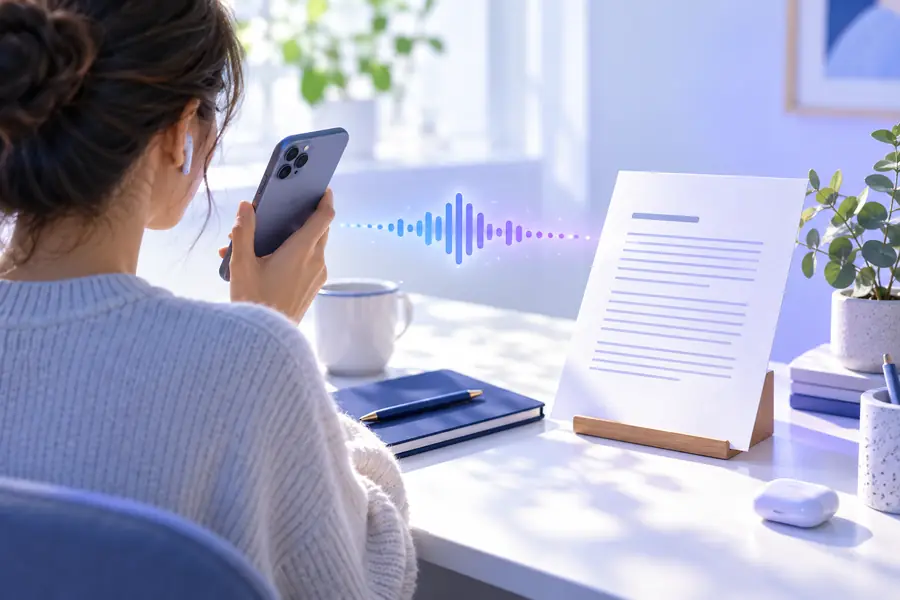
How do I convert audio to text on my iPhone?

Project coordinator

A teammate lists action items in a voice message. Transcribe the recording, then verify names, dates, and responsibilities before sending a written summary.

The checked text becomes a useful starting point for a task list rather than an unverified meeting record.

voice to text converter online free

Interview note-taker

A contact replies with a recorded answer. Ask permission before sending the audio to another service, particularly if the message contains personal information.

A reviewed transcript makes quotation easier while keeping unclear phrases visibly unresolved.

transcribe audio to text converter examples

Family organizer

Several short messages contain addresses and arrival times. Handle each recording separately so details from different speakers do not get mixed together.

You can assemble a checked written itinerary after comparing each line with its source note.

free audio to text converter examples

Three workflows

Three ways to prepare a WhatsApp voice note

The right starting point depends on what your device lets you save and whether the voice note belongs to you.

  1. 1

    Export a note you may share

    Open the message’s share or export options in WhatsApp and save the audio where you can find it. Menus vary by device and app version. Confirm the recipient agrees before passing their message to an external audio to text converter.

  2. 2

    Prepare a recording you already have

    If the voice note is already stored as an audio file, identify its format and check whether the destination accepts it. Keep the original recording available: it is your reference for checking the words, speaker changes, and pauses.

  3. 3

    Review the draft against playback

    Use an audio to text converter for an initial draft, then replay the note while reading. Correct names and numbers, label any genuinely uncertain words, and remove text that the speaker did not say before sharing the result.

Related paths

Choose a path for your file and device

A WhatsApp voice note is still a recording. Its saved format, your phone, and your sharing permissions determine the next useful step.

Illustrative output

Example output: voice note versus reviewed text

Imagine a short message about meeting plans. This comparison shows what a useful transcript preserves and what a listener still needs to check.

What the recording contains
What the reviewed text should show

Main request

What the recording contains

“Meet me outside the library.”

What the reviewed text should show

Meet me outside the library.

Time

What the recording contains

“Around six fifteen,” with background traffic.

What the reviewed text should show

Around 6:15. Confirm the time by replaying the noisy portion.

Name

What the recording contains

A person’s name spoken quickly.

What the reviewed text should show

Use the verified spelling, or mark the name as uncertain.

Pause

What the recording contains

A pause before a change of plan.

What the reviewed text should show

Use punctuation to separate the two thoughts without inventing words.

Second speaker

What the recording contains

A brief reply audible in the background.

What the reviewed text should show

Attribute the reply only if the speaker can be identified confidently.

Final check

What the recording contains

The original voice note remains the source.

What the reviewed text should show

Compare the complete draft with playback before forwarding or quoting it.

Responsible use

Consent, accuracy, and sharing limits

Moving a WhatsApp recording to an online audio to text converter can expose information outside the original chat. Decide whether that is appropriate before you upload.

No automatic permission

Being able to save a message does not mean its sender agreed to third-party processing, publication, or forwarding.

Workaround

Ask for consent and remove unnecessary personal details where possible.

No guaranteed verbatim record

Noise, accents, overlapping voices, and unfamiliar names can produce convincing but incorrect words.

Workaround

Replay uncertain passages and retain the recording for reference.

No universal file compatibility

Exported voice notes can use formats that a particular audio to text converter does not accept.

Workaround

Check the destination’s supported formats before uploading; convert a copy only if needed.

No promise of free or anonymous access

An online destination may have access requirements, usage limits, or terms that change.

Workaround

Review its current conditions before submitting a sensitive recording.

Visual guide

From saved note to checked transcript

Illustration of a WhatsApp voice-note transcription scenario Recording to prepare
Illustration of a transcript review scenario Text to verify
These illustrations show the workflow, not a guaranteed product output. Always compare generated text with the original voice note.

Next step

Continue with a recording you can share

Work from a voice note you have permission to process

Take your saved recording to the audio to text converter destination, check its current requirements, and review any resulting draft against playback. Keep private details out of shared text unless they are necessary.

Transcribe voice note
  • Confirm consent first
  • Keep the original audio
  • Check names and numbers

Common questions

WhatsApp voice-note FAQ

Some services offer limited access, but this page cannot verify a destination’s current terms or promise a free conversion. Check its conditions and supported audio formats before sharing the note.

Use the sharing or export options available for the message on your device, then locate the saved recording. The exact menu and file format can differ between phones and app versions.

Do not assume it can access a chat or retrieve a message automatically. The safer working assumption is that you must deliberately provide a recording you have permission to share.

Background sound, compressed speech, names, and overlapping speakers can confuse transcription. Replay the disputed section and correct the draft rather than treating it as a verbatim record.

Transcribe audio
Transcribe audio